I just wanted to write a quick post to let everyone know that I finally got around to adding Minima Stretch Backgrounds to HBB! Jolly huh?
I have been getting a lot of emails requesting these and finally found the time to add them.
To behold their beauty click HERE!

Friday, April 23, 2010

Tuesday, March 23, 2010
Thank You
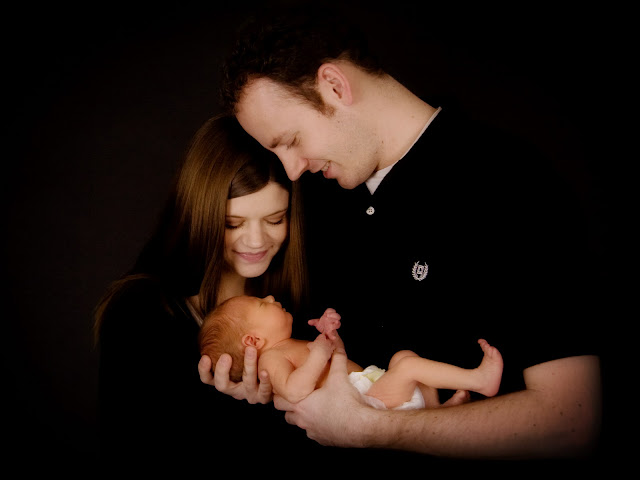
I just want to say THANK YOU for all of you that support my website. I am able to make a little bit of money from home while I raise my new little son and it really means a lot. Because of you guys I am able to be at home with my little one. How much better can it get? Doing something you love and being able to be with your baby because of it? I am so grateful and so happy! Here is a family photo we had taken a couple weeks ago with our little one.


...aaaand a photo of just him cuz he's adorable.

You guys are so totally awesome and I love you.
Wednesday, December 2, 2009
Christmas Backgrounds are HERE!
The moment we've all been waiting for....time for the cutest backgrounds of the year...

ENJOY!
ENJOY!
Wednesday, November 11, 2009
Christmas Card Giveaway!

Friday, November 6, 2009
Having Issues?
If your background is no longer showing up on your blog, please follow these steps:
1. Find your background again at Hot Bliggity Blog
2. Replace your existing background code with the new code.
WHY IS THIS HAPPENING?
Today we found out that we are not allowed to host images on our hotbliggityblog.com Dreamhost account that are available to the general public. It is causing issues with other customers who use Dreamhost. We have moved all of our images to photobucket, so we need you to re-install the code for your background to show up.
We are so very sorry for the inconvenience! Email us at contact@hotbliggityblog.com with any questions or concerns. If you leave your concern on a blog comment I will not be able to contact you to help you with the issue.
(Note: make sure to DELETE the old code. If you neglect to do this the new background will not show up!)
I had to take off all of the backgrounds from one designer since they didn't want their backgrounds on any longer. If you cannot find your original background chances are it was one made from this designer. I am terribly sorry, but you will have to pick a new background. :(
1. Find your background again at Hot Bliggity Blog
2. Replace your existing background code with the new code.
WHY IS THIS HAPPENING?
Today we found out that we are not allowed to host images on our hotbliggityblog.com Dreamhost account that are available to the general public. It is causing issues with other customers who use Dreamhost. We have moved all of our images to photobucket, so we need you to re-install the code for your background to show up.
We are so very sorry for the inconvenience! Email us at contact@hotbliggityblog.com with any questions or concerns. If you leave your concern on a blog comment I will not be able to contact you to help you with the issue.
(Note: make sure to DELETE the old code. If you neglect to do this the new background will not show up!)
I had to take off all of the backgrounds from one designer since they didn't want their backgrounds on any longer. If you cannot find your original background chances are it was one made from this designer. I am terribly sorry, but you will have to pick a new background. :(
Monday, October 5, 2009
Facebook and Twitter
We've decided to add Hot Bliggity Blog to Facebook and Twitter. This way we can do short and simple updates and you will all know when there are new backgrounds and changes to the site! Click on the links on our sidebar to access these spectacular pages. :)
Tuesday, September 15, 2009

Subscribe to:
Posts (Atom)